




The Calendar App Preferred by Pros, Students, and Scholars Everywhere—Don't Get Left Behind!
































With Unlimited Features
A View for Every You
Some apps flex by keeping things rigid, deciding that your calendar should always look and feel the same, every day of the year.
Not BusyCal. No.
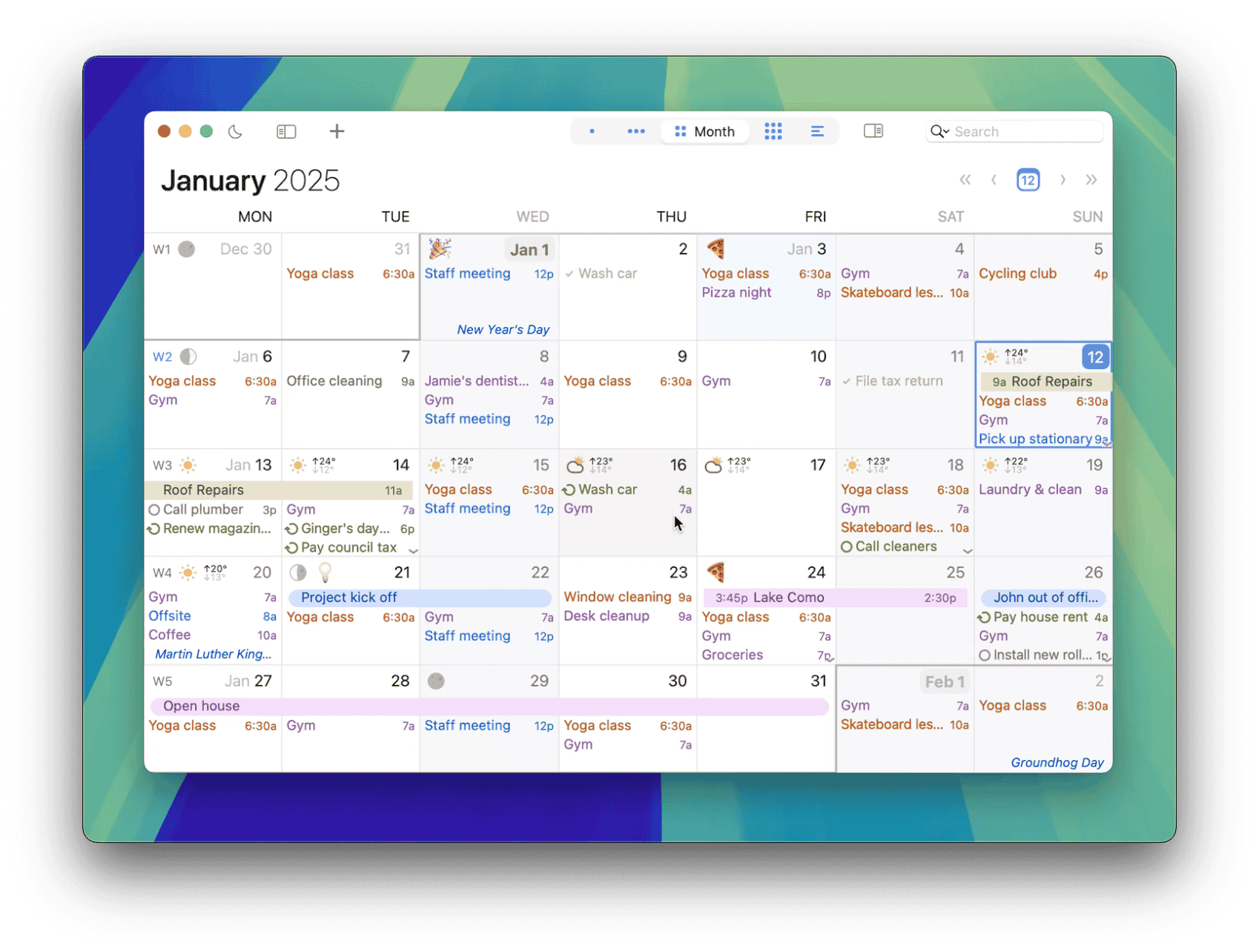
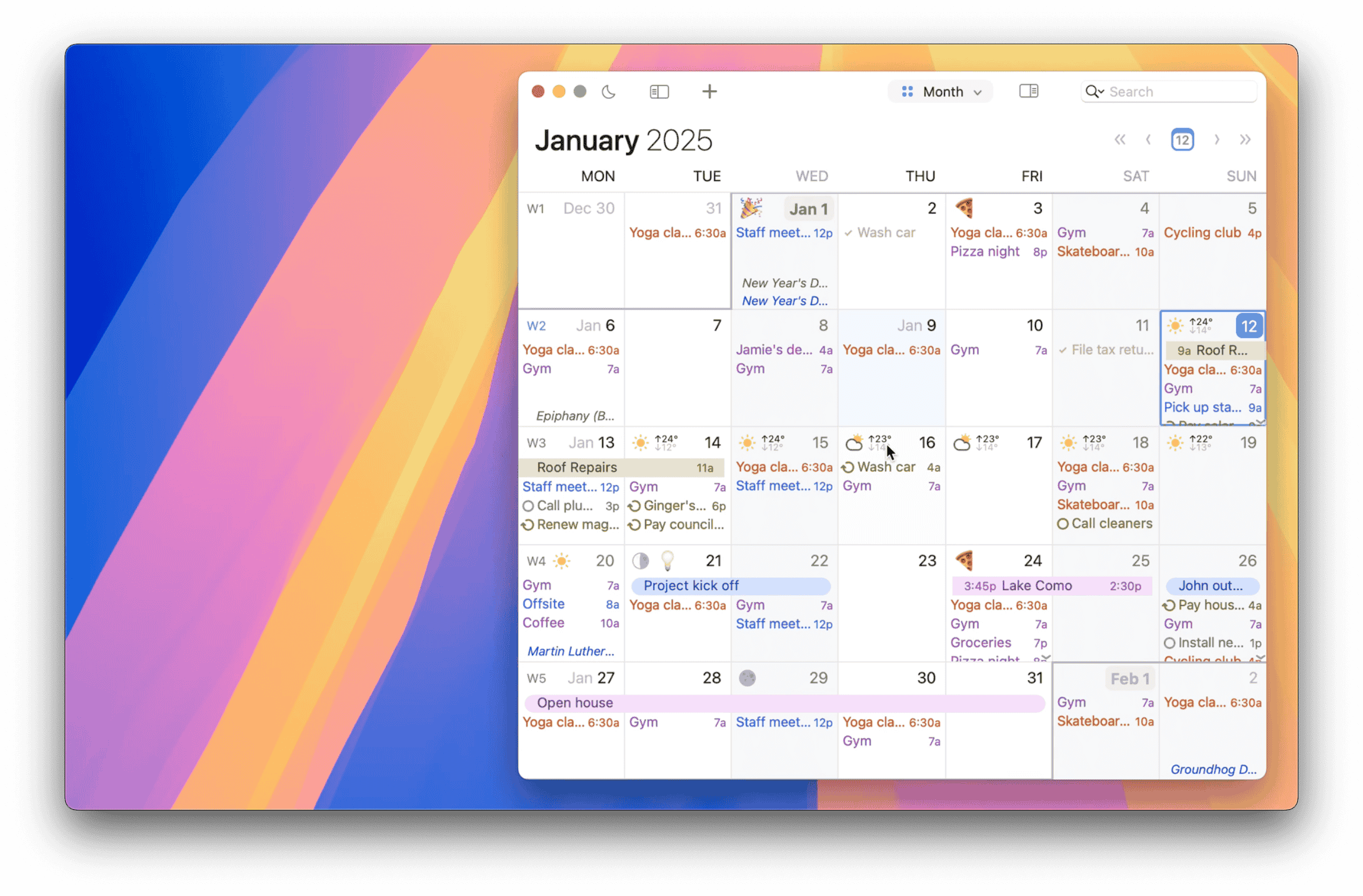
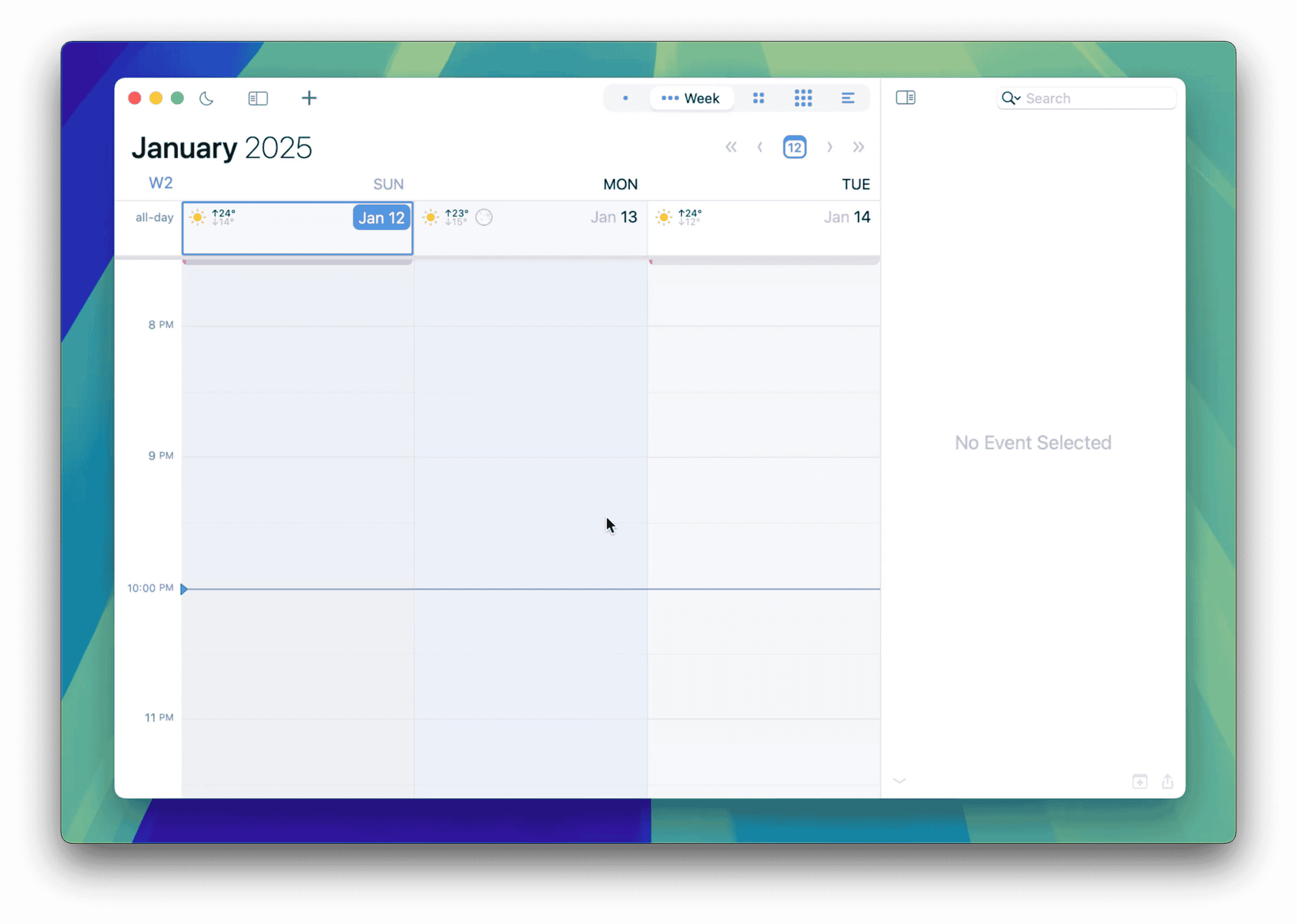
Choose from Day, Week, Month, a Year Planner, or List views, and take control of every detail—adjust appearance settings like font sizes, colors, and density; show or hide panels, tasks, sticky notes, and customize event info.
It’s your calendar, you decide.


Your Busy-Day Companion
Let People Book Time with You
Share a booking page for a quick call, a consultation, or a longer meeting. People choose a time you're free, and BusyCal adds the confirmed booking to your calendar.
Set your hours, choose which calendars to check, and confirm bookings automatically or approve each request. Your existing event titles, locations, notes, and guest lists stay private.

Focus with Calendar Sets
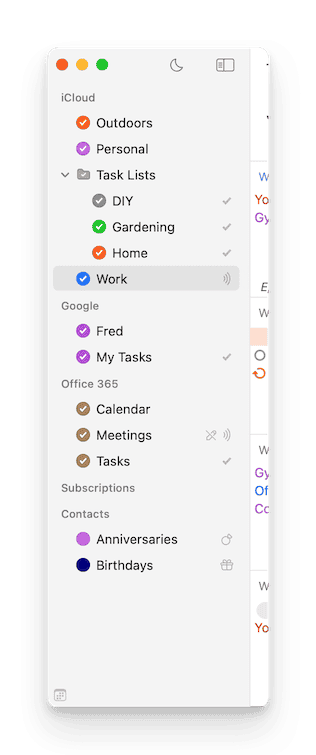
BusyCal's intuitive sidebar makes managing calendars effortless. Rearrange, rename, color-code, or group related calendars for quick access.
With Calendar Sets, you can toggle between different groups of calendars in a single click—perfect for separating work, personal, and family schedules. Streamline your view to focus on what matters most, without distractions.

Your Custom Views, Instantly Accessible
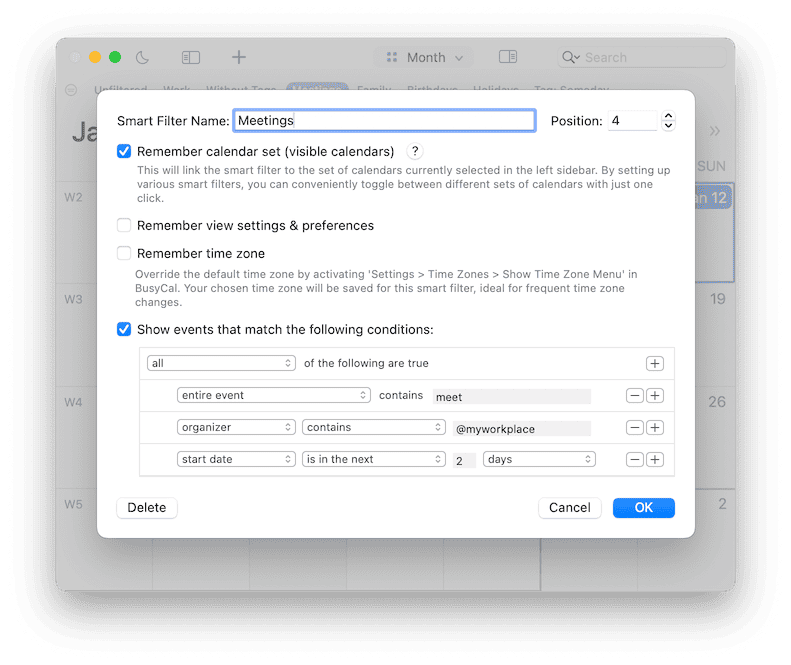
With BusyCal's Smart Filters, you can stitch together complex search combinations, toggle between calendar sets, and have them memorize your view settings.
Quickly switch between different modes for a more focused and efficient planning experience.
Use Suggestions as Templates
Filter Mode
Integrated, Intuitive, and Timed
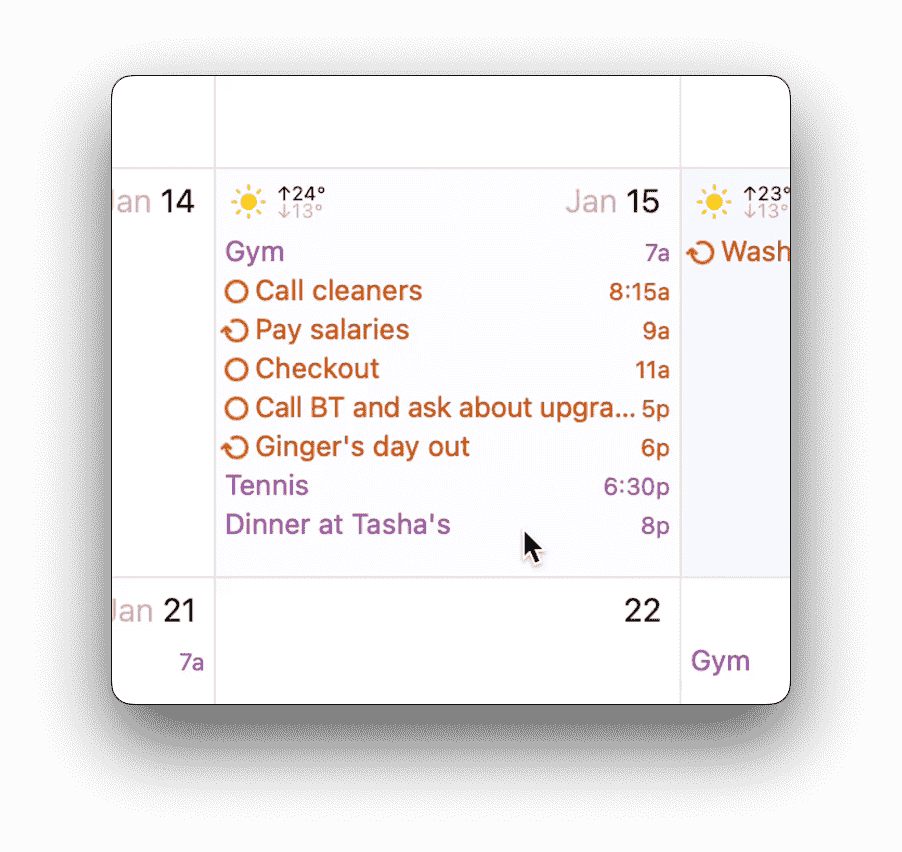
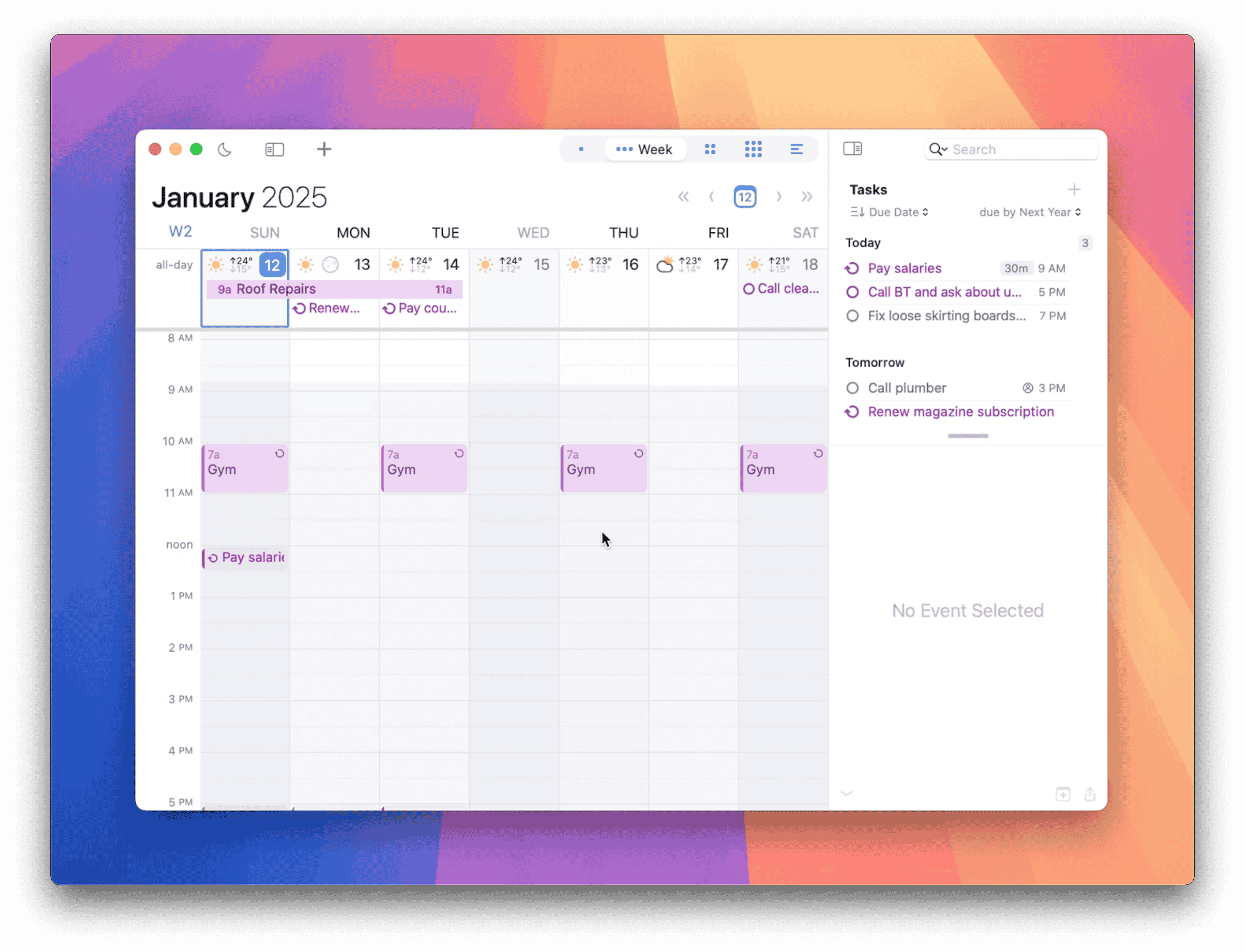
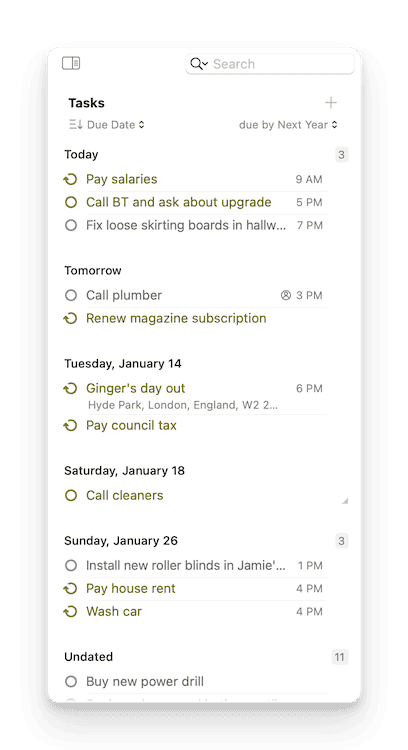
BusyCal integrates tasks right into your calendar, displaying them on their due dates and carrying them forward until completed.
View tasks in a sortable sidebar by priority, date, or tag, and sync effortlessly with the Reminders app.
Master Time Zones Like a Pro
Say goodbye to time zone confusion!
With BusyCal's Favorite Time Zones, you can assign friendly names to your most-used zones, view them at a glance, and copy formatted time zone details to easily share via email or other apps.
Whether you're coordinating across continents or just need quick access, this feature makes time management seamless. Watch how simple it is in action!
Natural Language Input
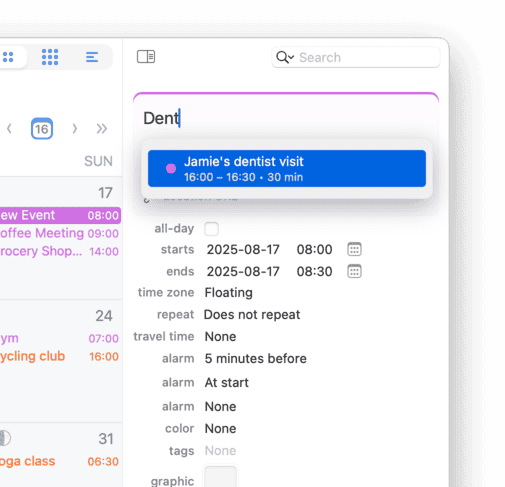
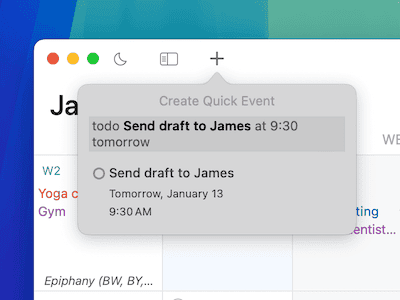
Quickly add events and tasks using natural language input. Preview details as you type—recognizing titles, times, locations, and much more.
Supports English, Français, Deutsch, Español, Italiano, Nederlands, 简体中文 (Chinese Simplified), and 한국어 (Korean).
A Menu-Bar Calendar That's Always Accessible
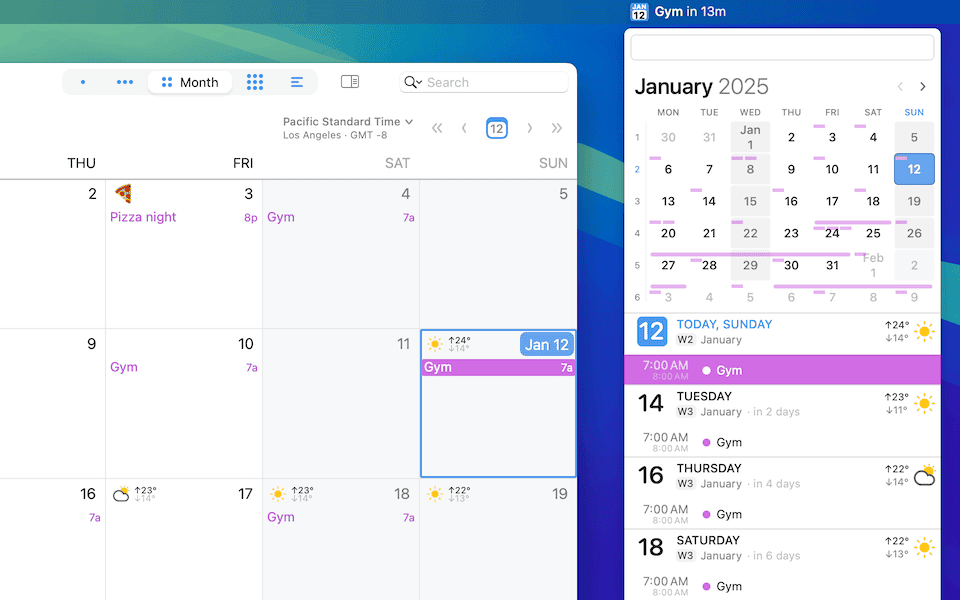
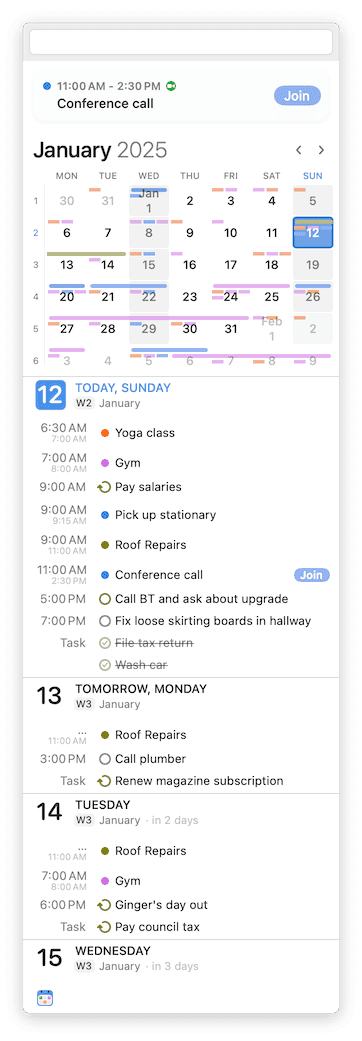
The menu bar extension features a navigable mini-calendar with a visual heat map of your availability, a scrolling list of events, and glanceable (plus customizable) notifications for upcoming events.
Access event details, create new tasks, and stay informed—even when the main BusyCal app is closed.
Sort & Spot with Style
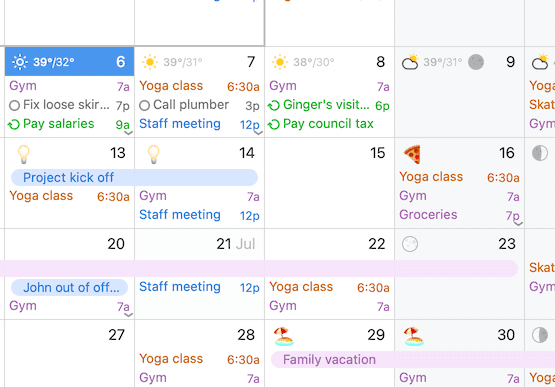
Harness the power of efficient organization with our color-coded tags. Practical and visually appealing, these tags allow you to categorize your events across a spectrum of shades—from urgent crimson to serene blue.
Enhance your calendar's usability with tags that make finding and managing your events straightforward and stylish.
Travel Time for Events
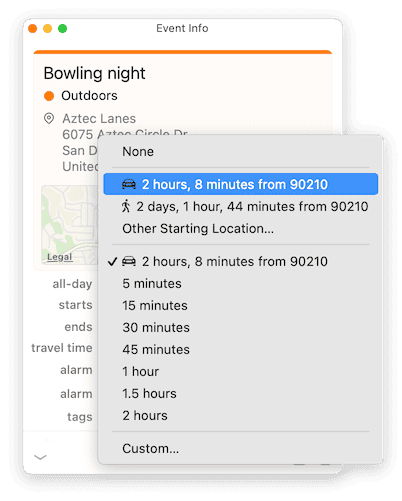
Plan your day better with travel time—one of BusyCal's most requested features.
Automatically calculate time to your destination using Location Services, or set it manually. Receive real-time alerts, ensuring you always leave with enough time, even when traffic changes.
Map out your busy life—literally
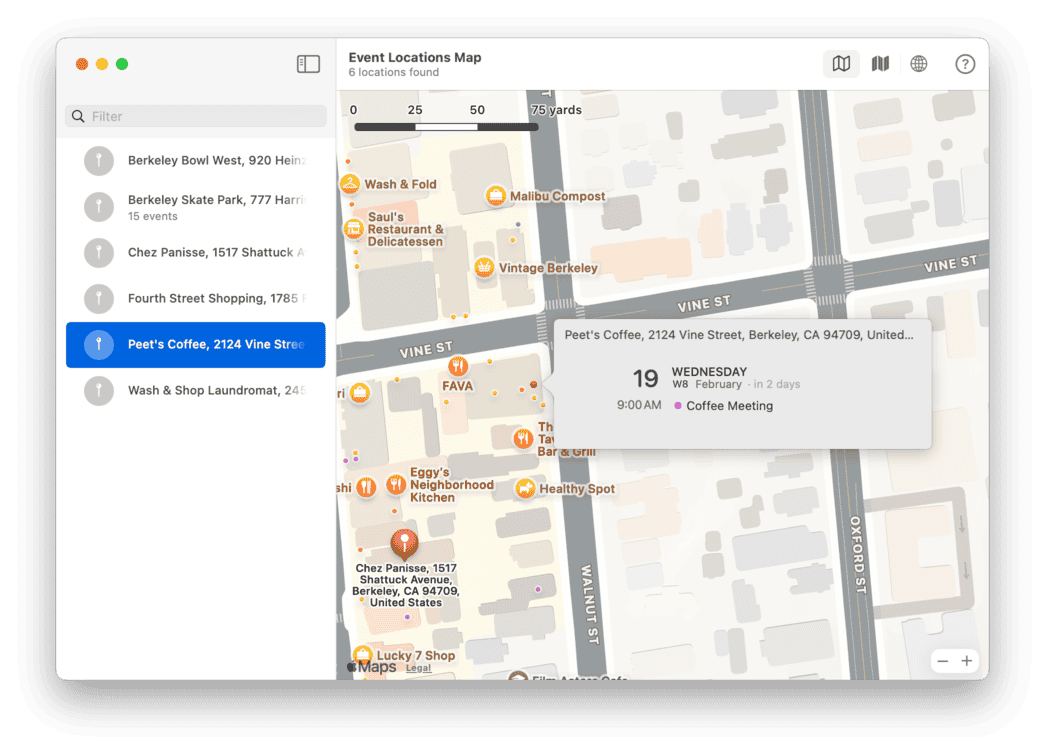
Wouldn't it be cool to see every place you've ever been invited to or visited as part of a calendar event on a map?
Yes. The answer is yes 🙌. It would be so cool. BusyCal does this and more.
Sticky Notes for Easy Reminders
Why settle for boring, plain text when you can stick to something smarter?
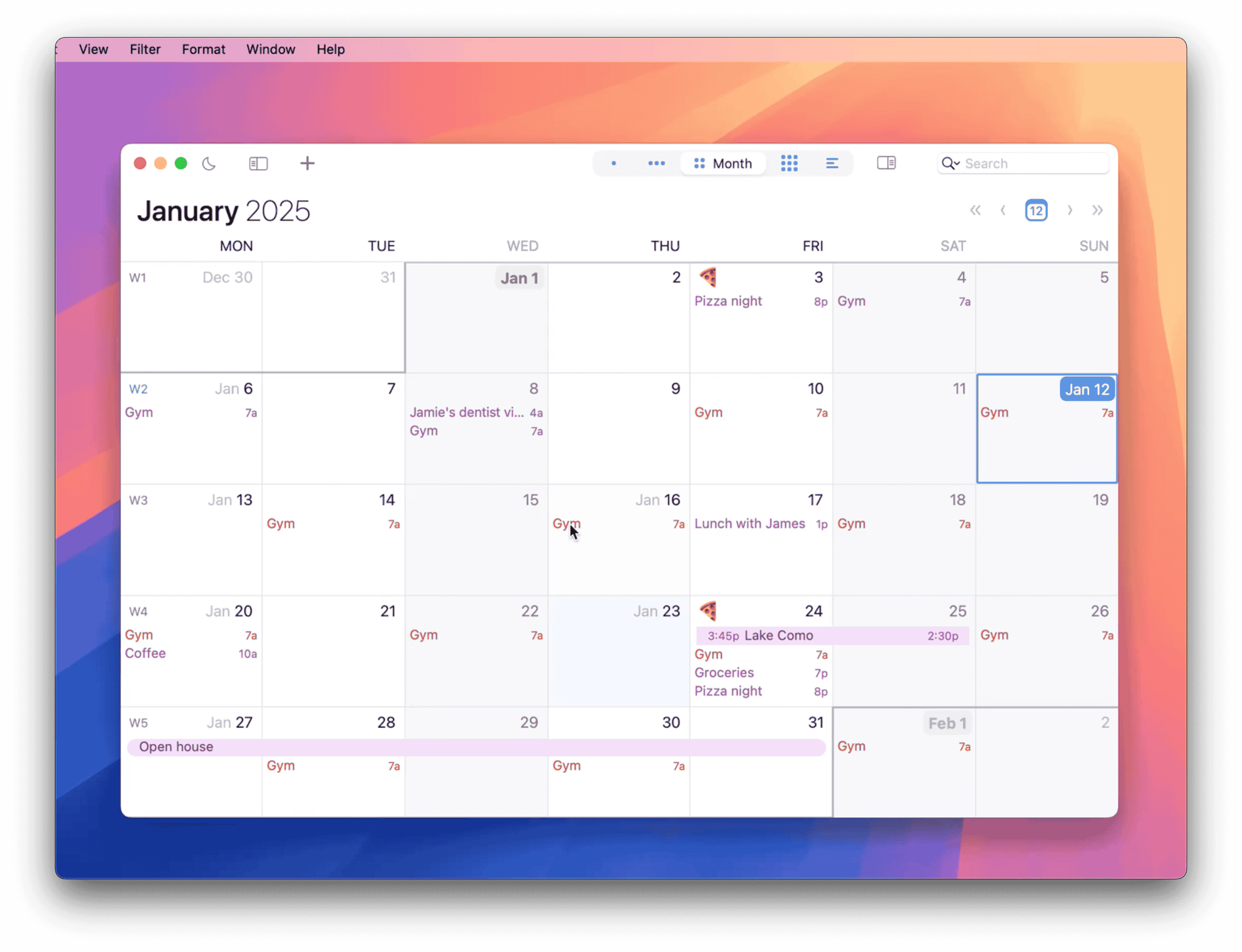
Sticky Notes in BusyCal let you add colorful, customizable notes directly to your calendar, just like the ones on your fridge—but digital and always within reach. Perfect for quick reminders, personal touches, or organizing your month with flair!
Best of all, these sync seamlessly as normal events, ensuring compatibility across all your calendars and devices.

Decorate with Graphics & Icons
Weather & Moon Phases in Your Calendar

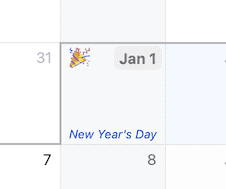
Customizable Holiday Events
With BusyCal, holidays are easy to spot without overwhelming your schedule. Customize how holidays appear by displaying them as subtle, all-day events in italicized text at the bottom of each day, rather than as standard banners.
You can apply this styling to any of your calendars, making it easy to highlight special dates while keeping your schedule clean and visually organized.
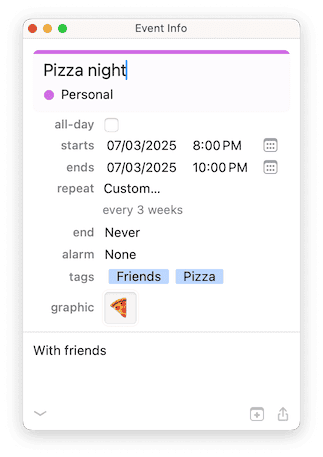
Customizable Info Panel
The Info Panel lets you view and edit event details with unmatched speed and precision. Completely redesigned for a modern, clean look, it features enhanced controls for dates, times, locations, attendees, and more. Customize it to show only what you need—basics or advanced details like time zones, tags, and graphics.
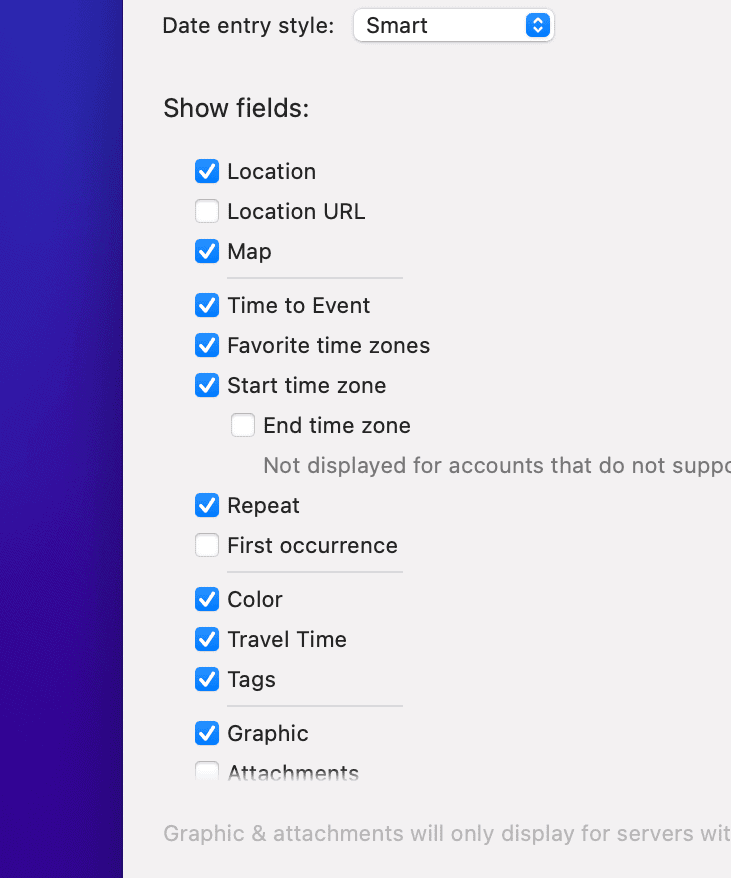
Prefer flexibility? Display it as a fixed-panel, a floating window or a pop-over for ultimate convenience.
Reliable, Customizable Reminders
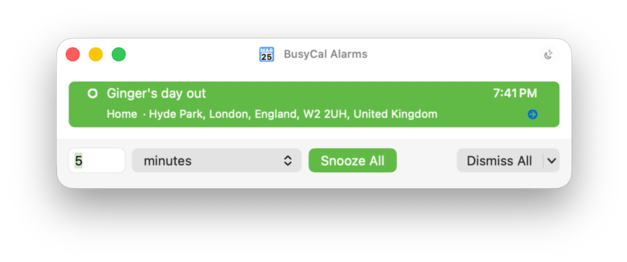
BusyCal supports macOS Notification Center alarms, but it also goes a step further with its own powerful alert window.
Packed with advanced features and customization options, this alert system lets you fine-tune snooze times, take quick actions, and keep reminders visible. You can also view and manage all your snoozed alarms in one place, so nothing slips through the cracks.
Be Not Confused ™
It's the little things that make a big difference. BusyCal is packed with subtle, thoughtful touches—like live tooltips that show exact durations as you resize events. No guessing. No confusion. Just clarity.
Claude Desktop Extension
Custom Fonts
Conference Calls
Rich-Text Support
Widgets for Every Need
Carry Over Overdue Tasks
Customizable List View
Import & Export
Snooze Management
Accessibility Options
Private LAN Sync
First-Class Support
Your Data, Your Rules
We believe your calendar is your life, and your life is private. That's why BusyCal is designed with privacy at its core. Your calendar only syncs with services you control, ensuring your data stays where it belongs—with you.
No funny business, just secure scheduling. See our privacy policy for more details.
The Word on the Street
Fantastic calendar, fantastic company
This is the calendar app that all calendar apps claim to be but never are. It handles everything perfectly ... has every feature you need, and their support is as good as anyone could reasonably ask for.
BusyCal is very impressive!
... If you're trying to streamline your organization of your life, I highly recommend trying BusyCal. Their iOS app has been fantastic too.
It was here all along
BusyCal has ... somehow gone under my radar until now... it includes a quite ridiculous number of features and level of customizability... making this edition of MacStories Weekly the longest one ever. BusyCal is an excellent replacement for Apple's Calendar app.
Awesome
I've gone through way too many calendar/scheduling apps (Fantastical, Motion, Outlook, regular old Google Calendar, etc.), and this is the first one I've found that works well for a freelancer whose schedule is "flexible".
Busy Mom + Business Owner
... Nothing is better for organizing multiple calendars and reminder lists. From my laptop to my iPad to my phone it’s always there
Todo Durations! 🤯
This is by far the best Calendar and Todo List App! Way better than fantastical! Love the new Task Durations! This is really becoming a super powerful all in one calendar app!
Love BusyCal
It is far superior to Apple Candle! Love the color coding options, the coordinating todo options, the flexibility of the users choice to show this or that list and not show another. Very well planned, maintained, and a long time standard for me on my macbook pro! I've tried others..... none compare.
Saves Me From Myself
My job involves a lot of deep work. Often I'll be so locked into the task I'm working on that hours will go by without me checking my mail or calendar. Busy Cal's pop-up meeting alert panel saves me.
Favorite calendar app for Mac
I really like BusyCal! Especially the drop-down interface for the menu bar. It's very handy to see a concise graphical representation of the month and the upcoming events and meetings.
So much better than Apple's Calendar
I've been using the BusyMac suite of BusyCal and BusyContacts for years. These programs work seamlessly with iCloud and offer features that simply don't exist in Apple's native apps.
This app is a joy to use
It integrates all of the different scheudles I have, and does the one thing that I need any scheduling software to do, it allows me to tag different events as Rocks, Pebbles, Sand, and Water. This may not make sense to you, but color coordinating my schedule this way makes my life so much easier.
DO believe the "hype"
This App fixed my calendar chaos. iCal (as it was), Google Calendars x3, kids' calendars, etc--I couldn't find a way to keep things simple, but I had read reviews (reddit, elsewhere) of people recommending BusyCal for MacOS and iOS. I'm on the bandwagon now. It has helped me organize, streamline, simplify my calendars--centralizing things and being able to spend less time reorganizing things.