


The Calendar App Preferred by Pros, Students, and Scholars Everywhere—Don't Get Left Behind!
































Like No Other
BusyCal is a universal iPad + iPhone app. With a companion app for watchOS, customizable widgets for your home and lock screen, and unparalleled flexibility, BusyCal is designed to fit seamlessly into your life—your calendar, your way.
Month View
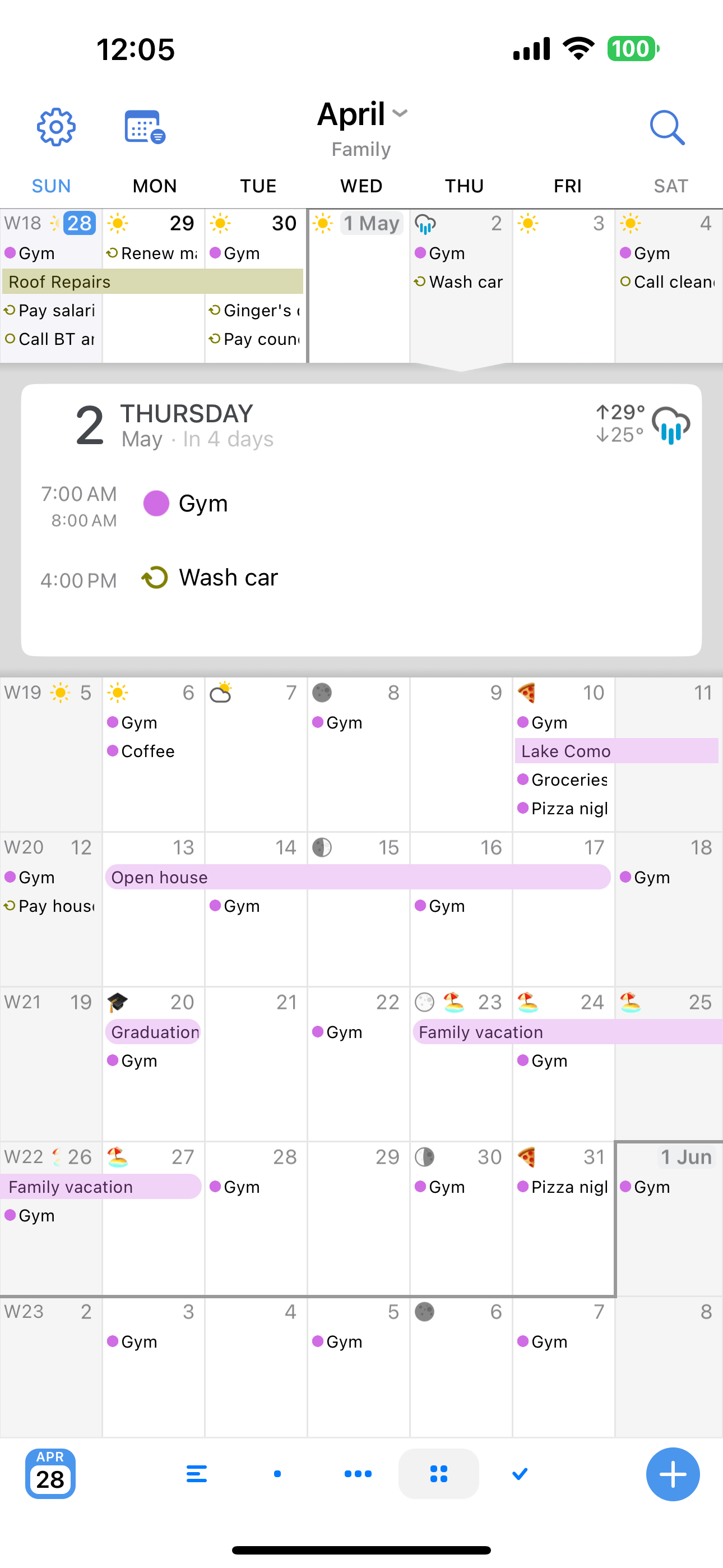
One of BusyCal's most innovative features is its Month View, which provides a scrolling view that can be customized to show any period from 2-8 weeks at a time by pinching.
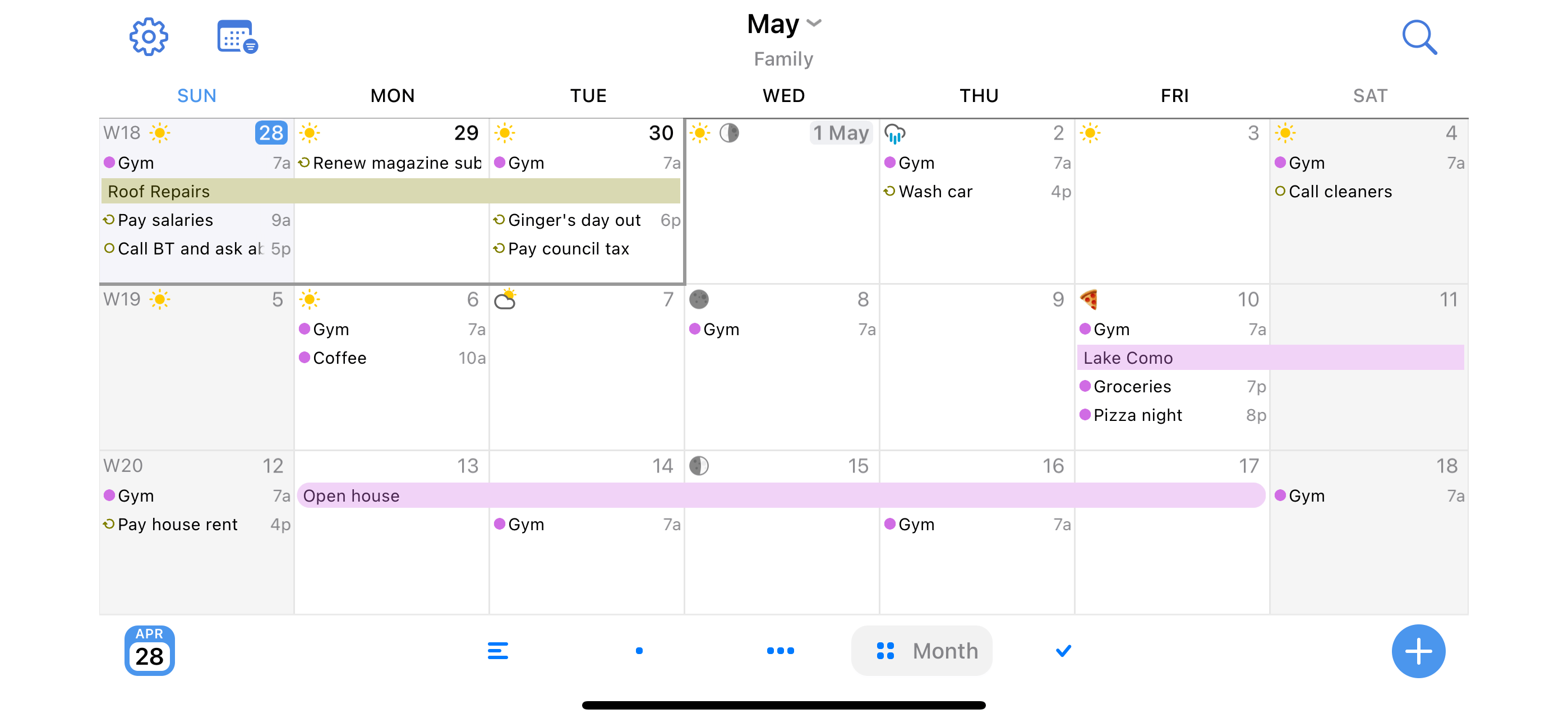
Tapping on a day reveals its details like an accordion within the Month View. It's ideal for getting an overview of your Month, then quickly drilling down to see the details of a specific day.
Week View
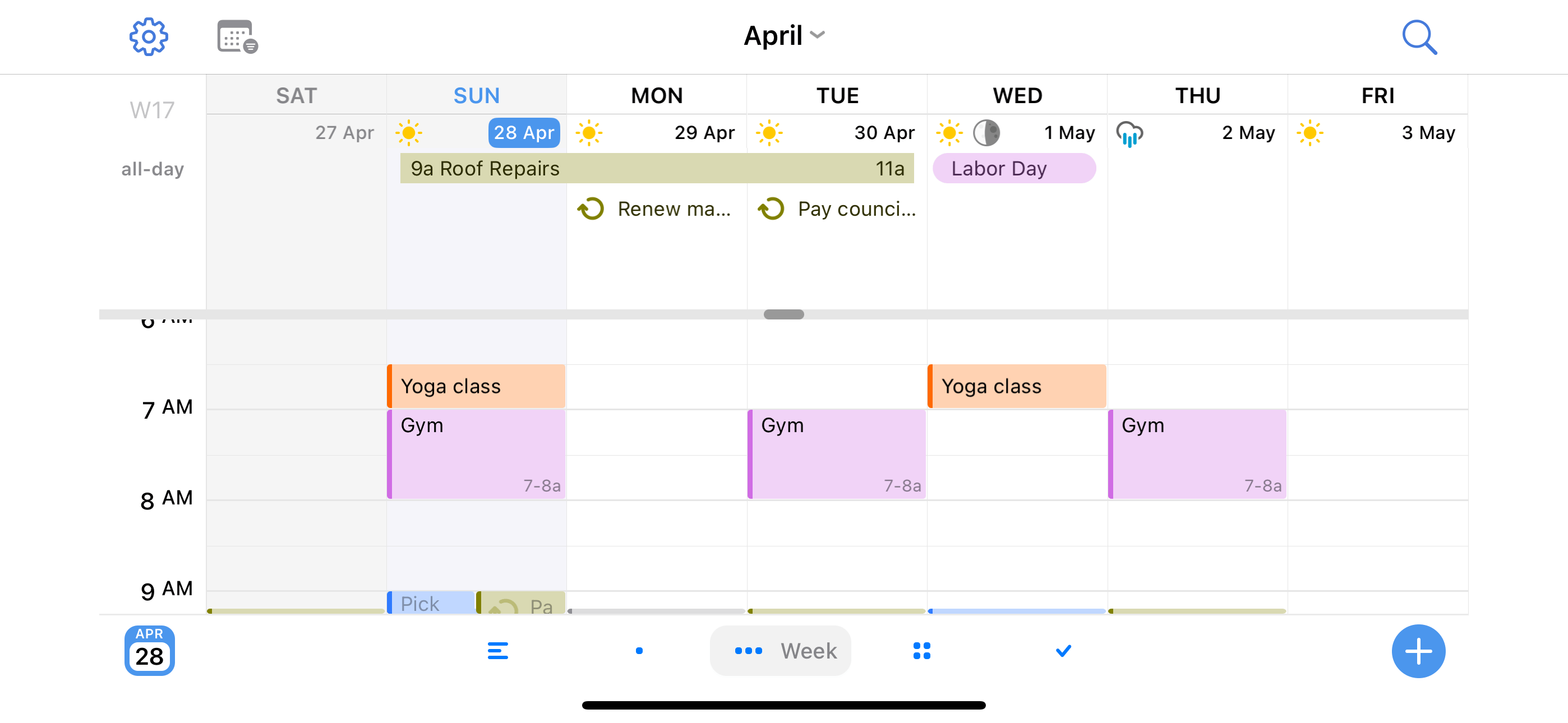
The Week view displays 2-7 days at a time. You can adjust the number of days and hours shown by pinching anywhere on screen.
Create events effortlessly with a long-tap, or move events easily by dragging.

List View
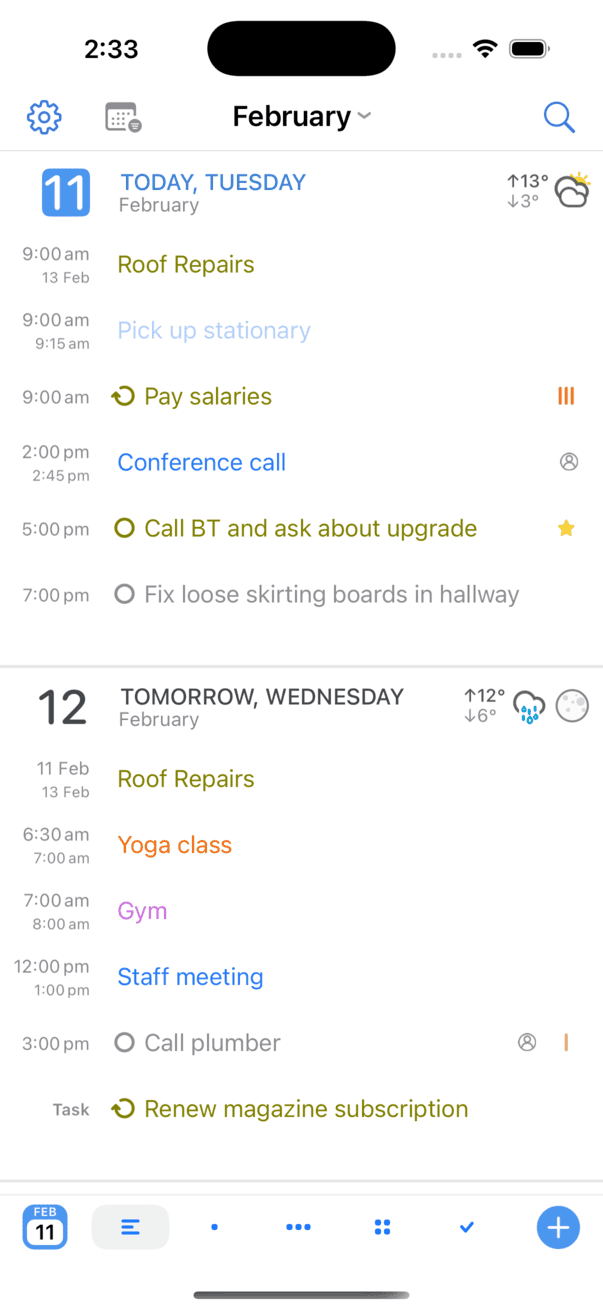
The List view displays all of your events and tasks chronologically in a compact easy to read format. Supports infinite scrolling.
There are several settings to tweak from, such as hiding empty days.
Tasks
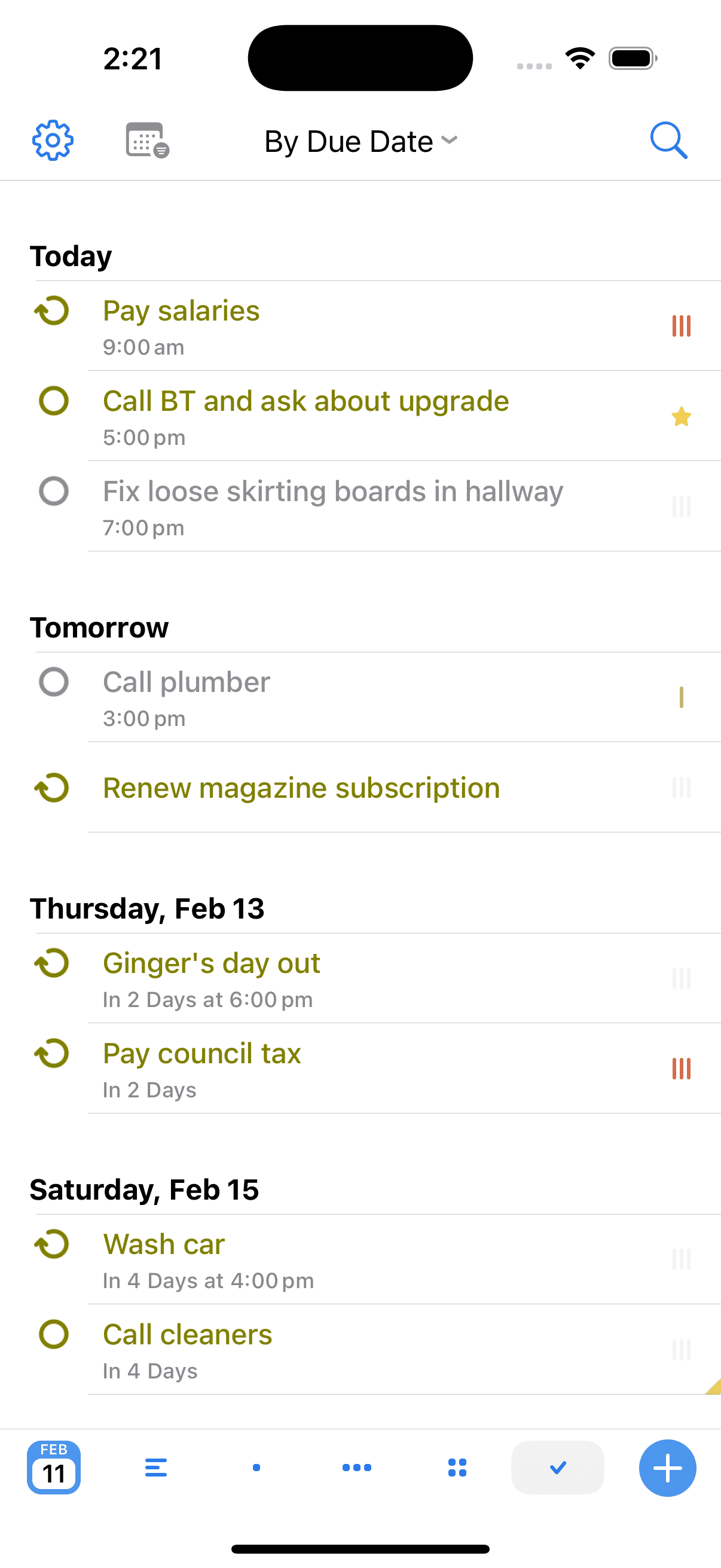
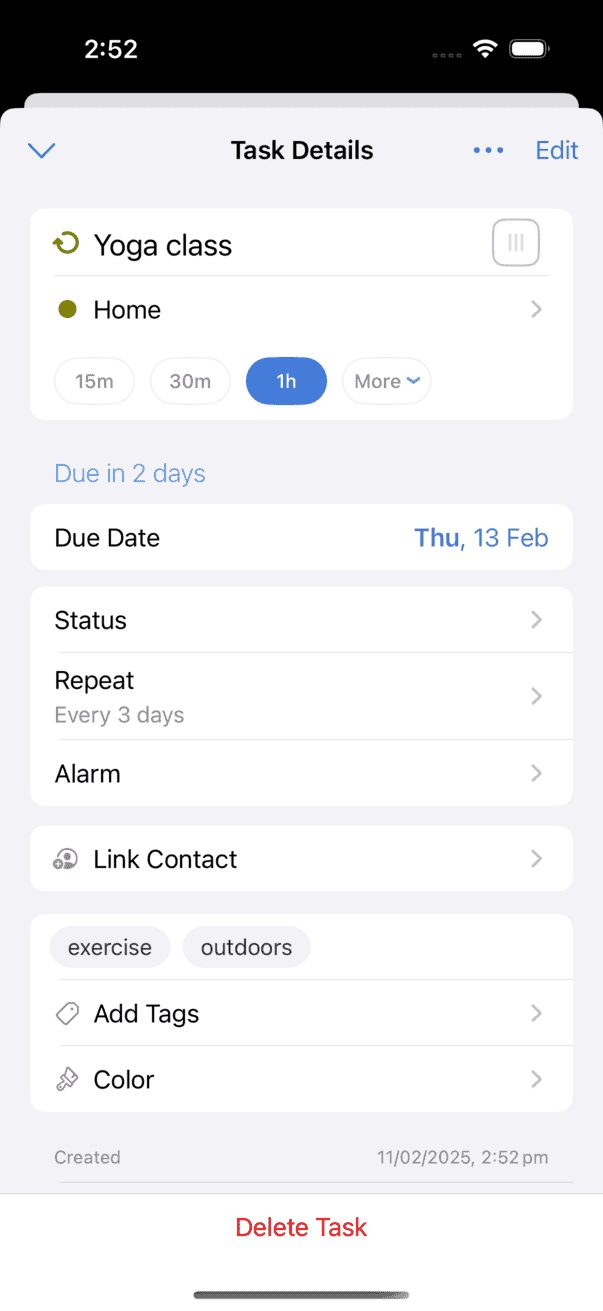
In BusyCal, Tasks are integrated into your calendar, display on the date they are due, and carry forward until completed.
Tasks are also displayed in the Task List, which can be sorted by Due Date, Priority, Title, Calendar, Tag, or Manually.
Calendar Sets
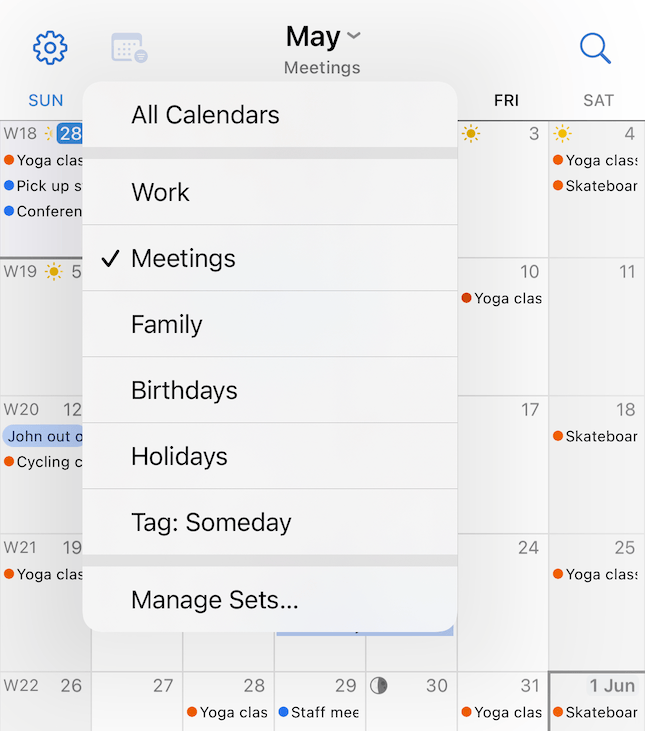
With Calendar Sets, you can manage different collections of calendars to be able to quickly switch between them, such as a different collection of Work related calendars and a different one for Personal.
Travel Time
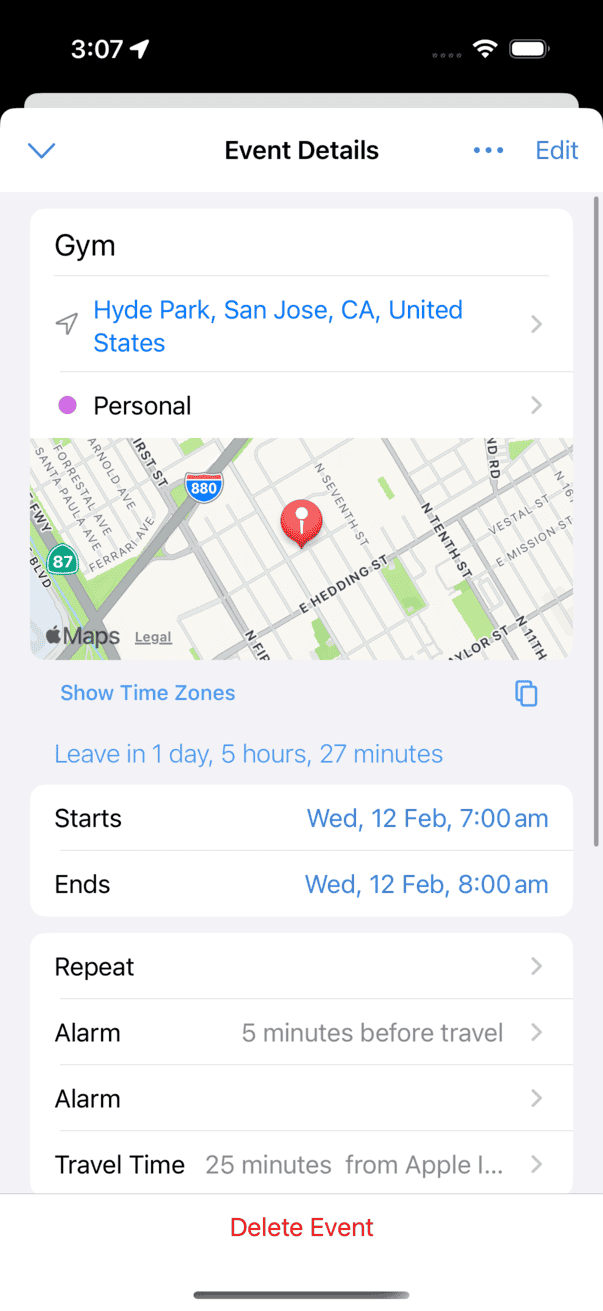
BusyCal supports travel time, which allows you to block out time for travel to an event or location.

You can set a fixed amount of travel time or determine it automatically using the integrated support for Location Services and Apple Maps. You can even set alarms to remind you when it's time to leave.
Weather & Moon Phases in Your Calendar
Tags
BusyCal allows you to tag events for tracking and filtering. Tags are user-defined labels with which you can categorize events in BusyCal.
You can also search and filter events in your calendar based on tags. Note: Tags in BusyCal map to Categories in Exchange/Outlook.
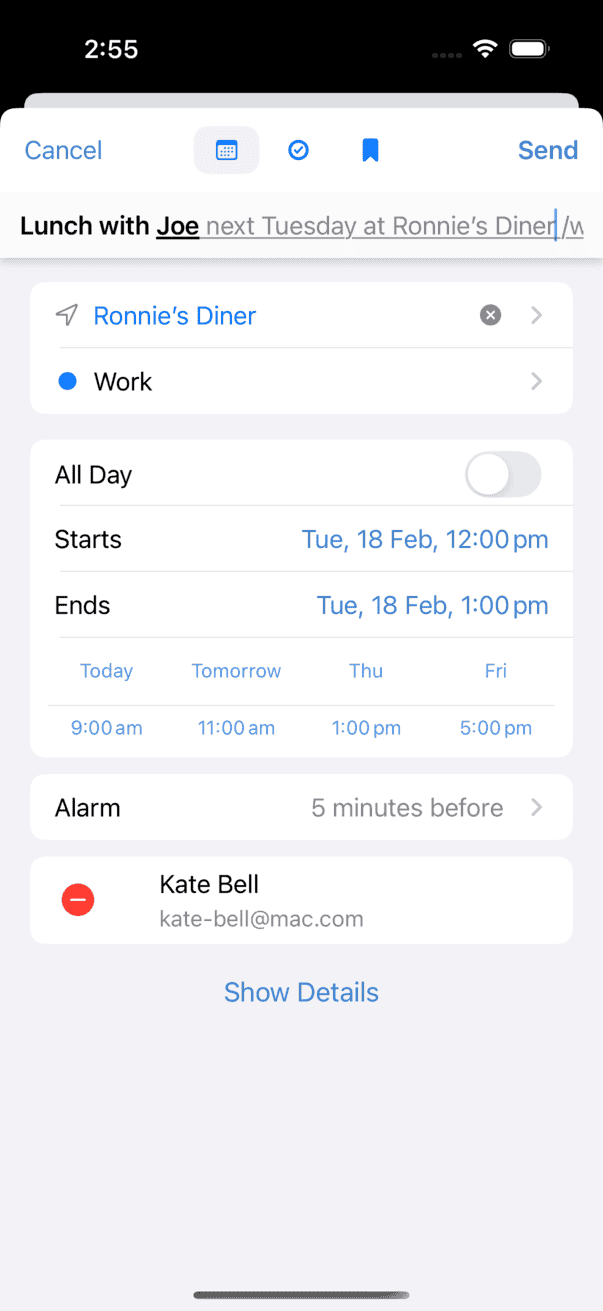
Natural Language
You can create events and tasks in BusyCal using natural language. Simply type the details and BusyCal interprets them automatically. For example:
- Lunch with Joe next Tuesday
- Meeting with Joe Nov 7 at 3
- Coffee at Starbucks 9:00
- Call Bob tomorrow
- Buy Toner
You can even set locations and add attendees interactively.
Supports English, French, German, Spanish, Italian, Dutch, Chinese Simplified and Korean.
Search
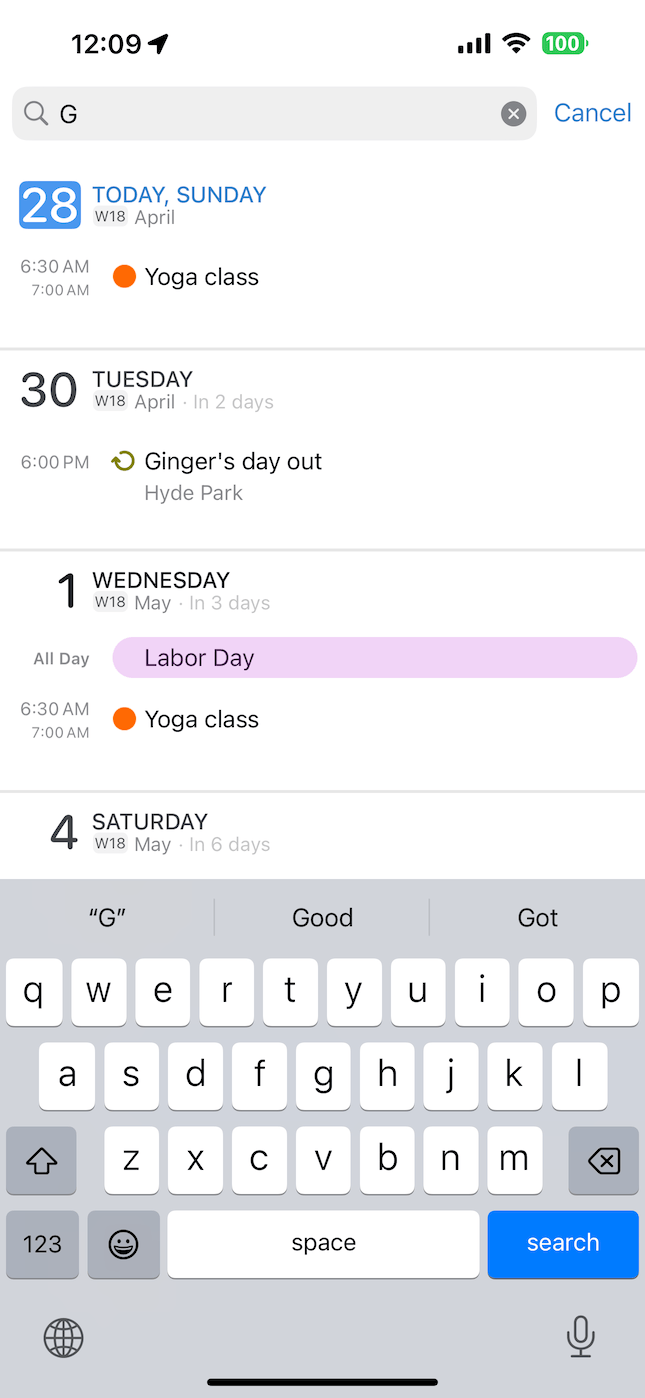
BusyCal makes it easy to find all matching events throughout your entire calendar.
Tap the magnifying glass icon at the top of the screen to display the Search field. Begin typing to find all events whose title, location, notes, or tags match the search term and display them in a list. You can then tap any item in the list to display its Event Details view.
Syncs with Everything
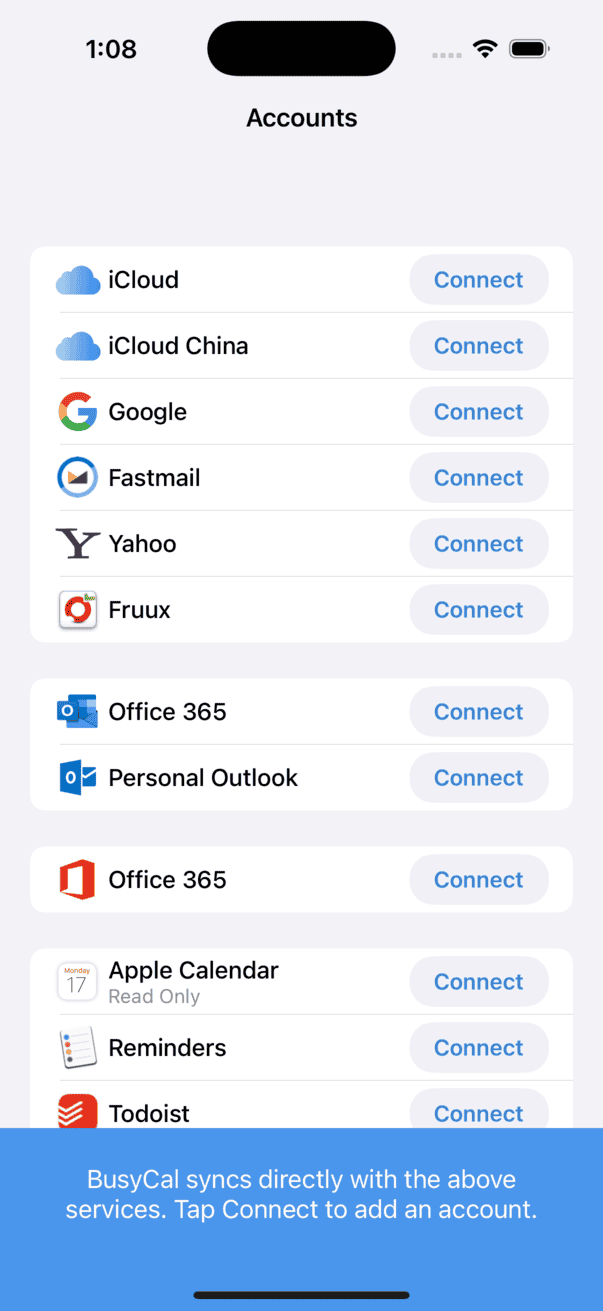
BusyCal has long been respected for its solid support for syncing with Reminders, iCloud, Google, Exchange, Office 365, Outlook, Todoist, Fastmail, CalDAV, Zoom, WebEx and more.
Password Protected Calendar Sets
Automate Calendar Sets
Birthdays & Anniversaries
Custom Appearance
Journaling
Agenda on The Wrist
Time Blocking
Conference Calls
Time Zones Made Simple
Floating Time Support
Widgets for Every Need
Countdown to Events
Carry Over Overdue Tasks
Alternative Calendars
Task Durations
Multiple Default Alarms
First-Class Support
Your Data, Your Rules
We believe your calendar is your life, and your life is private. That's why BusyCal is designed with privacy at its core. Your calendar only syncs with services you control, ensuring your data stays where it belongs—with you.
No funny business, just secure scheduling. See our privacy policy for more details.
The Word on the Street
Easily the best calendar app
Easily the best calendar app I've used for iOS and Mac. Being able to see all of the events on your calendar across an entire month - why this is isn't an option on the default calendar app is beyond me. Best money I've spent on an iOS app, hands down.
Totally the best
Tried the others and BusyCal is still the best all round.
Best monthly view calendar
I like to look at the month at a glance. Nice crisp format…rounded bubbles, colored entries…nice. Too bad it's not multi platform. Switching to a flip phone…apple just doesn't get it. Gonna have to switch to ticktick for that phone.
New Update To Tasks is Amazing
The new update to the edit tasks window is MUCH improved. Much more streamlined and far more convenient.
Keeps getting better
... Tried Fantastical for a couple years, but was glad to come back to BusyCal.